


Bingel Video: HD Player Hub
4.06.00 Reviews
App Specs
- Version
- 1.0.6
- Updated On
- License
- Free
- Downloads
- 100,000+
- Developer
- International News
- Categories
- Video Players & Editors
- Platform
- Android
Screenshots
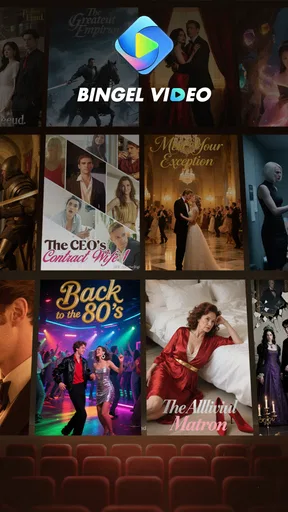
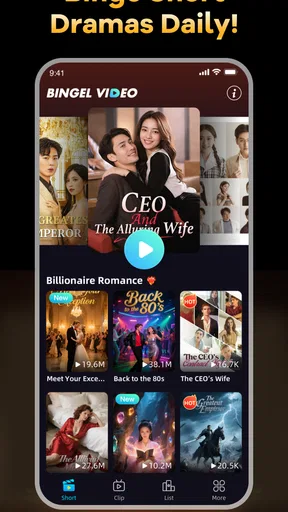
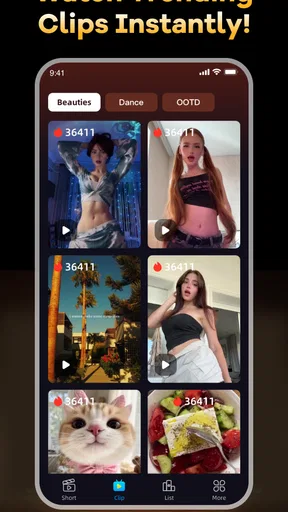
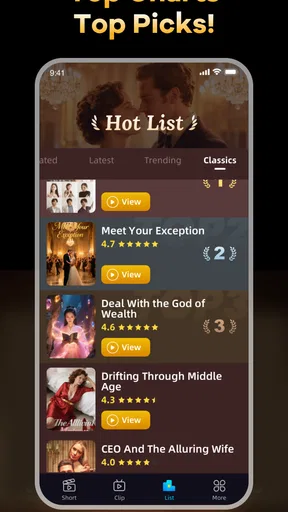
 Analysis by AppCompare
I approached Bingel Video: HD Player Hub as a viewer looking for quick entertainment rather than as someone replacing a full streaming service. Its focus is short dramas and currently popular clips, with an emphasis on HD playback across different kinds of video. That sounds simple, but the real question is whether the app feels comfortable to use when you are handing it time, attention, and possibly personal information. My experience is that it is best judged as a lightweight video app: useful for dipping into short content, less convincing as the main place for a carefully organized library.
The app is published by International News and sits in the video players and editors category. It is free to install, aimed at Everyone, and supports devices running Android 7.0 or later. The current release is version 1.0.6, while its public presence has already reached over one hundred thousand installs. Those details make it accessible to a broad range of Android users, including people with older phones, although compatibility alone does not tell you whether the viewing experience will suit your habits.
What using Bingel Video feels like in everyday viewing
The clearest use case is a short break. Imagine waiting for a bus, eating lunch, or winding down after work with only a few minutes available. A short drama or trending clip fits that moment better than a long film, and the app’s purpose is easy to understand without a complicated setup. I would reach for it when I wanted something immediate and casual, not when I had already decided on a specific series and expected detailed controls around it.
That distinction matters because short-form video apps are often judged by how quickly they get you from opening the app to watching something. Bingel Video: HD Player Hub has a straightforward identity, but a focused identity is not the same as a complete entertainment platform. If your routine involves browsing brief episodes and clips, its narrow direction can feel convenient. If you expect a deep catalogue, reliable discovery tools, profiles for several household members, or a carefully managed watchlist, you may find the experience less satisfying than a larger established service.
I also noticed how much the phrase “HD” sets an expectation. Clear video is valuable on a modern phone, especially for dramas where faces, subtitles, and small details matter. Still, picture quality is only one part of a good viewing session. The practical result depends on the source video, your connection, the phone display, and how much data you are willing to use. I would avoid assuming that an HD label automatically makes every clip look equally sharp or that it is always the sensible choice on mobile data.
Trust begins with what the app openly lets you control
For an entertainment app, trust is not only about whether videos play. It is also about whether I can understand what I am doing, change choices without hunting through menus, and stop using the service without feeling locked into it. I pay particular attention to account prompts, notification requests, sign-in screens, playback settings, and any visible privacy or data controls. These are the moments when a free app can either feel respectful or create unnecessary friction.
With this app, I would treat every prompt as a decision rather than tapping through automatically. If a screen asks for an account, I would first check whether that step is genuinely needed for the viewing task I want to complete. If it offers notifications, I would consider whether alerts about clips will improve my routine or simply add noise. This is a small habit, but it gives the user more control and prevents a casual video app from taking over the phone’s attention.
Worth Reading Before You Choose

EA SPORTS FC Mobile 26 Is a Bigger Football Game, but It Takes Time

Flipboard Shows What News Apps Must Do Beyond the Feed

Switching to Android Auto Means Rethinking Your Driving Routine

Google Calendar Makes a Crowded Week Easier to Manage

Ludo King Makes the Most of the Minutes Between Plans

Baby Panda World Brings Quick Play to Modern Phones, but Its Game Library Feels Busy
The developer name, International News, is visible as part of the app’s identity, but that name alone should not be treated as a guarantee about the service’s wider practices. I prefer to evaluate the choices presented inside the app and in the Android installation flow. Before settling into regular use, I would review the app’s store privacy section, read any permission explanations, and check the Android permission manager after installation. Those steps are more useful than guessing from the app’s category or branding.
Permissions and data-sensitive moments deserve a deliberate check
Video playback does not automatically require broad access to everything on a phone. That is why I would pause if Bingel Video asks for access that seems unrelated to watching clips. A request should have a clear reason, and Android lets you deny or later adjust many permissions through system settings. If a feature does not work after a denial, that response is useful information: it tells me the feature is tied to that access, and I can decide whether the benefit is worth it.
I would be especially careful around sign-in, personalized recommendations, advertising choices, and any option that appears to connect viewing activity with a profile. These are not necessarily bad features, but they affect how much of my behavior becomes part of the service experience. I would look for visible controls to manage notifications, reset choices, remove an account if one is created, and clear the app’s local data. The important point is not to assume that a free app has no cost; the important point is to understand which choices I am making.
There is also a practical data issue. HD playback can consume more mobile data than a lower-quality stream, so I would use Wi-Fi for longer sessions and reserve cellular viewing for short clips when my allowance is limited. If the app provides a quality selector, I would choose the setting based on the situation rather than leaving the highest quality on all the time. If the app does not offer that control, I would be more cautious about extended viewing away from Wi-Fi. This is one of the most useful trade-offs for anyone considering it on an older or budget plan.
Battery use is another data-sensitive moment in the broader sense of phone resources. Bright video, sound, and a weak mobile signal can drain a phone quickly. I would lower screen brightness when comfortable, use headphones in public, and avoid treating the app as background entertainment for hours. Short dramas are a natural fit for controlled sessions; they are less suitable when I want continuous playback throughout the day.
User agency matters more than a polished first impression
I judge a video app by how easy it is to leave a session on my terms. That includes pausing without losing my place, backing out of a clip without accidental taps, controlling sound, and deciding whether the next piece of content should start immediately. These details shape the difference between a relaxing break and an app that keeps demanding attention. When I test a short-form service, I also watch for whether browsing feels intentional or whether the design encourages endless scrolling without a clear stopping point.
My advice is to create a simple personal boundary before opening it: choose one short viewing window, mute notifications you do not need, and close the app when that window ends. This is not a criticism unique to Bingel Video; it is a sensible approach to any feed built around trending clips. The app’s strongest use is deliberate, bite-sized viewing. It becomes a weaker choice if you want the service to decide how long you stay.
I would also check Android’s battery and mobile-data panels after a few normal sessions. Those system tools give a more realistic picture for your own phone and network than a general promise about performance. If playback is smooth and resource use fits your routine, the app can remain a convenient secondary player. If it repeatedly consumes more data, battery, or attention than expected, the fact that it is free does not make that inconvenience disappear.
Where it fits beside familiar alternatives
Compared with a general video platform, Bingel Video has a more specific appeal: short dramas and trending clips are the center of the experience rather than one small part of a huge mixture. That can make it easier to find lightweight entertainment, but a broad platform is usually the better choice when I want creator subscriptions, long-form viewing, extensive history, or a large ecosystem built around sharing and discovery.
Compared with a subscription streaming service, this app is more casual and less commitment-heavy because it is free. A paid service may be preferable for viewers who care about a structured catalogue, known franchises, household profiles, or a consistent way to resume longer programmes. Bingel Video makes more sense when I do not want to plan a full viewing session and simply want to sample brief content.
Compared with a dedicated local media player, it serves a different purpose entirely. A local player is the better tool for videos already stored on your device, precise file management, and playback under your own control. Bingel Video is aimed at discovering or watching content within its own environment. I would not install it expecting it to replace a file player, editing tool, or personal media library.
Small habits that make the app easier to live with
My first habit would be to test it on Wi-Fi before deciding whether it belongs in a regular mobile routine. That gives me a chance to see how quickly clips begin, how comfortable the picture is on my screen, and whether the browsing style suits me without spending cellular data unnecessarily. I would then try the same type of clip on mobile data only if the first test feels worthwhile.
Second, I would keep the app’s role narrow. Rather than treating it as my only video destination, I would use it for short dramas and quick clips, while keeping a broader service for long programmes and a local player for personal files. This division avoids expecting one lightweight app to solve several different viewing problems.
Third, I would revisit Android settings after the first week. I would check notifications, permissions, battery activity, and data use, then remove anything that does not match how I actually use the app. This is a more reliable workflow than accepting every default. It also gives me a clear exit route: if the app is no longer useful, I can uninstall it without leaving unnecessary access enabled.
A fourth useful habit is to judge the app by repeat visits rather than one attractive clip. Trending content can create a strong first impression, but the real test is whether I can regularly find something worth watching without wasting time. If the app keeps offering material that matches my short-break routine, it earns a place on the phone. If I open it mainly out of habit and leave without watching, a browser or another service may be more efficient.
Who should try it, and who should skip it
I can recommend trying Bingel Video to Android users who enjoy short dramas, want quick access to popular clips, and prefer a free app that works on relatively older Android versions. The Everyone age classification also makes it broadly approachable, though I would still use normal family judgment about the individual videos that appear. The app is particularly suitable for casual viewing rather than planned, long-form entertainment.
I would be more cautious about recommending it to someone with a very limited data plan, a phone with tight storage or battery constraints, or a strong preference for tightly managed privacy choices. That does not mean the app is unsuitable in every case; it means those users should inspect the prompts, permissions, and Android usage panels before making it part of a daily routine. People who need offline viewing, advanced playback management, or a dependable personal library should look toward a different kind of video tool.
Its public reception is reasonably encouraging but still modest in scale: it holds a 4.0 average from around fifty-nine ratings, with six written reviews visible. I read that as a reason to keep expectations measured. There is enough activity to show that people are using it, but not enough feedback for me to treat every part of the experience as settled for every device and viewing style.
My cautious verdict after looking beyond the play button
Bingel Video: HD Player Hub is an easy app to understand and potentially useful in the right slot. I like the idea of using it for short, low-commitment viewing, and its free availability plus Android 7.0 support make it approachable for many users. Its strongest quality is focus: it does not ask me to plan an entire evening when I only want a brief drama or a trending clip.
My recommendation comes with a clear condition: use it deliberately and review the choices it presents. I would not grant permissions automatically, enable every alert, or assume that HD is always the best setting for mobile viewing. I would also keep another option available for long-form programmes, local files, or more advanced library control. The best reason to install it is convenient short viewing, not blind trust or an expectation that it replaces every other video app.
Overall, I see it as a reasonable free addition for Android users whose habits match its short-content focus. The app earns consideration when it respects your preferred controls and fits comfortably within your data and battery limits. If those checks go well, it can be a handy break-time player. If you need stronger account management, deeper catalogue organization, or more predictable control over your media, I would choose a more established alternative instead.
Pros
- Supports a wide range of common video formats.
- Simple layout makes playback easy for most users.
- Offers convenient access to local video files.
- HD playback can look sharp on compatible devices.
- Useful as a lightweight alternative to larger media players.
Cons
- May include intrusive ads or promotional content.
- Privacy practices should be checked before importing personal videos.
- Advanced subtitle and audio controls may be limited.
- Playback quality depends heavily on device hardware.
- App performance may vary with large or high-bitrate files.
FAQs for Bingel Video: HD Player Hub
What is Bingel Video: HD Player Hub?
Bingel Video: HD Player Hub is presented as a video playback application designed for watching locally stored media on a mobile device. Depending on the version and platform, it may support common video formats, subtitle files, playback controls, playlists, and basic media-management features. Before downloading, users should review the app’s current store description because available tools, supported formats, and branding may vary between Android and iOS releases.
Can Bingel Video: HD Player Hub play all video formats?
No video player can guarantee compatibility with every format, codec, resolution, or audio configuration. Bingel Video: HD Player Hub may handle popular files such as MP4 and other widely used formats, but unusual codecs, damaged files, very high-resolution videos, or unsupported audio tracks could fail to play correctly. It is advisable to check the official compatibility information and test the app with a copy of your media before relying on it for important viewing.
Does Bingel Video: HD Player Hub stream movies or provide free content?
The app should not automatically be assumed to be a streaming service or a source of free movies and television programs. Its main purpose may be playing videos already saved on your device, although some versions could include additional media features. Users should read the official listing carefully and avoid downloading copyrighted content without permission. Any streaming, network, or online features may also require internet access and could be subject to separate terms.
Is Bingel Video: HD Player Hub safe and free to use?
Safety and pricing can change as the application is updated, so users should download Bingel Video: HD Player Hub only from a trusted Google Play or Apple App Store listing. Check the developer name, recent reviews, requested permissions, privacy policy, advertisements, subscriptions, and in-app purchases before installing. Even when the download is free, certain functions may be limited, supported by advertising, or placed behind a paid upgrade.
What permissions does Bingel Video: HD Player Hub need?
A video player commonly needs permission to access media files so it can locate and play videos stored on the phone or tablet. Depending on the operating system and the app’s implementation, it might request access to photos, videos, files, notifications, or network connectivity. Grant only permissions that match the app’s purpose, and deny access that seems unnecessary. Android and iOS may offer different permission controls and privacy summaries.


